Bite back.
Defend deep.
Scans for malware with ClamAV and YARA, stops USB shortcut worms, checks your drives and settings, and backs up your files. It keeps protecting you offline.
Free for 14 days · then US$1 a month · Windows 10 and 11, 64-bit
Everything a PC needs, in one app
Normal mode keeps it simple. Switch on Pro mode for the technician tools. Security check, drive health, repair, apps and drivers use Windows features, so they're on Windows only for now.
Scans you can watch
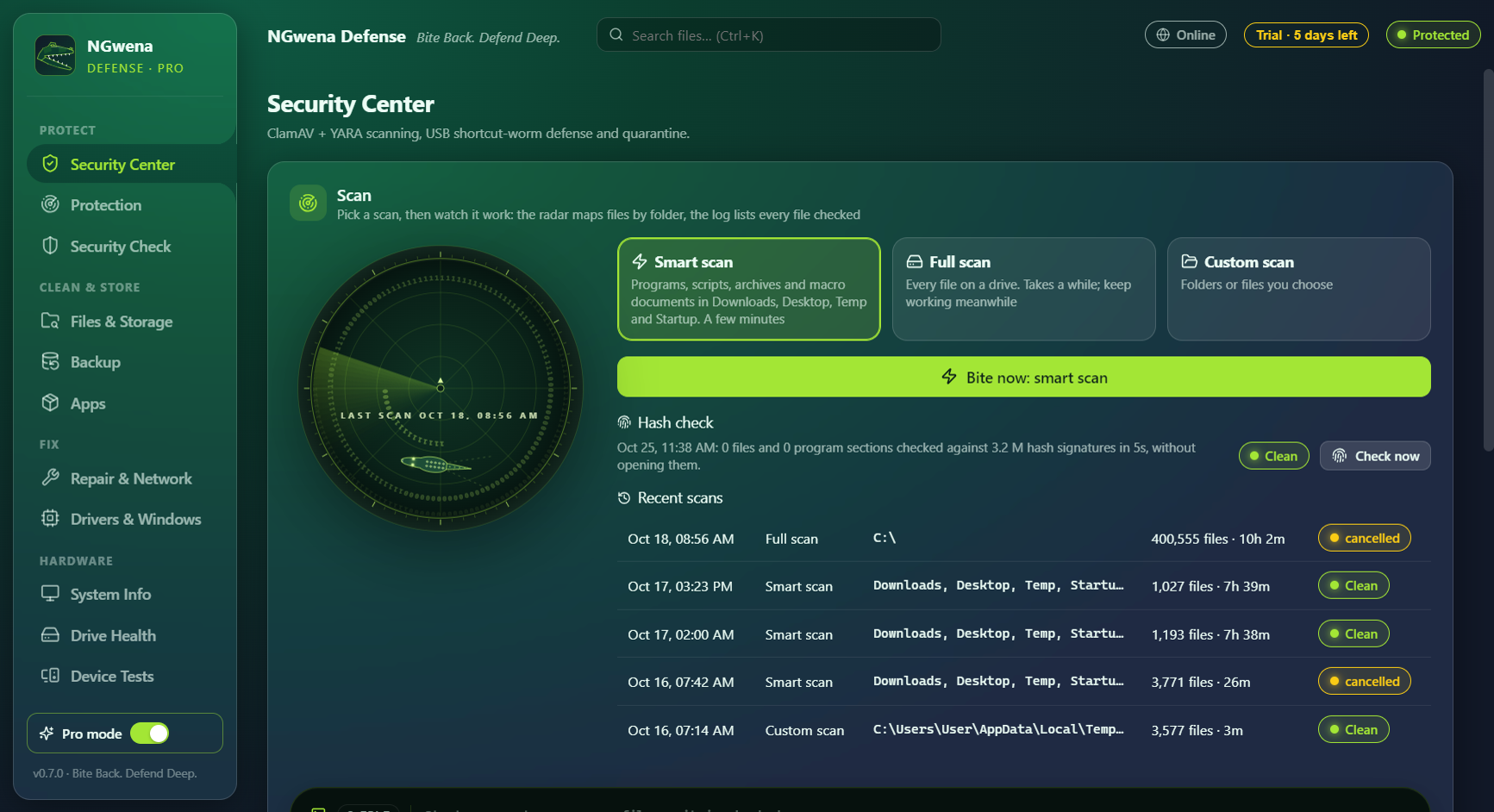
ClamAV, YARA and a known-malware hash list. Smart, full and custom scans on a live radar. Unchanged files are skipped on rescans.
USB worm defense
Scans flash drives as they're plugged in, removes shortcut viruses and gets your hidden folders back.
Real-time protection
New files in Downloads, Desktop and Startup are checked the moment they land. Threats go to quarantine, which you can undo.
Security check
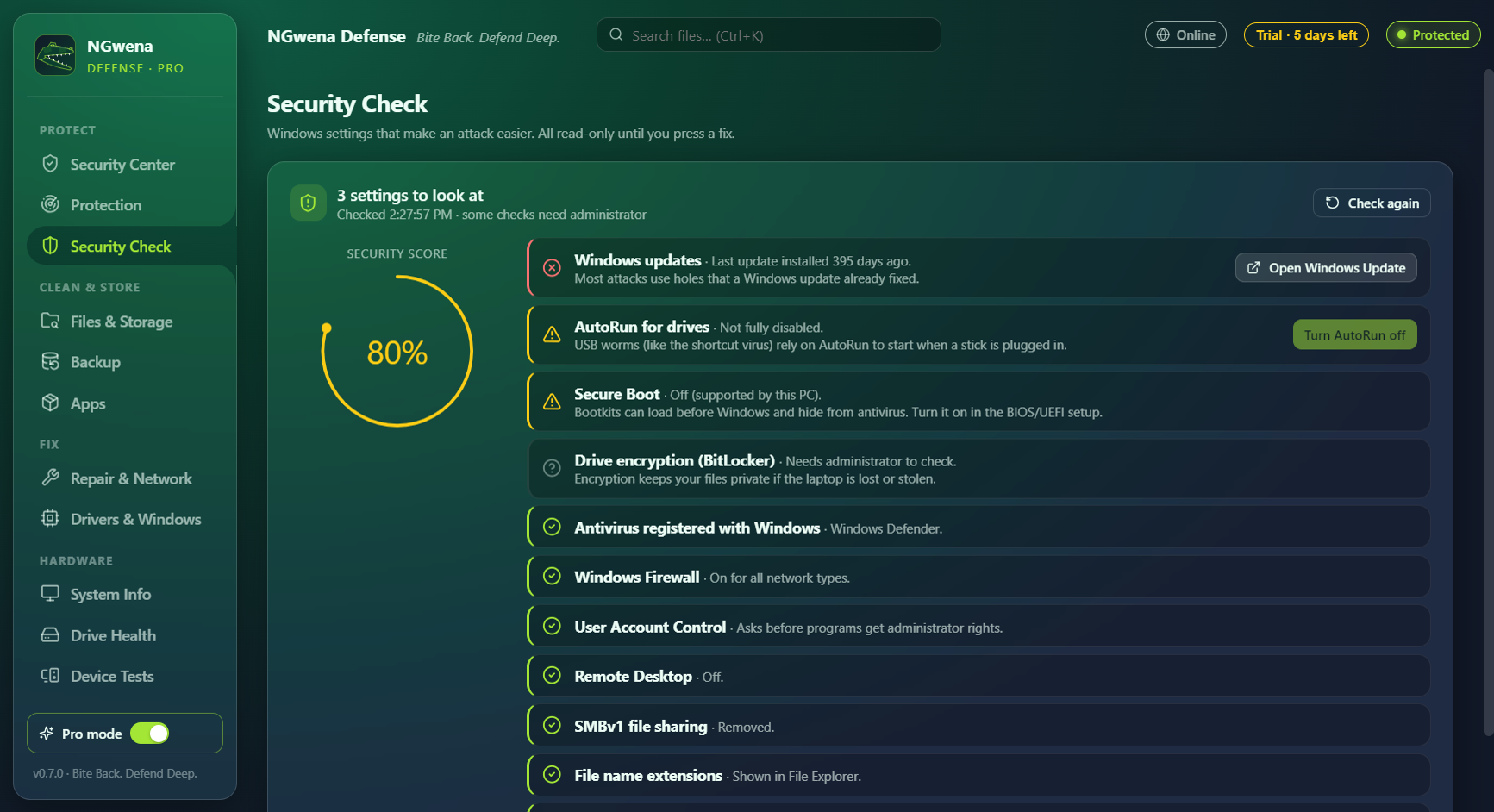
Firewall, Remote Desktop, SMBv1, AutoRun, hidden file extensions, Secure Boot and updates, with one-click fixes.
Drive health
A health percentage for every SSD and hard drive, read from the drive's own sensors, with a warning before it fails.
Find any file instantly
Search millions of files as you type, *.pdf and invoice* included, then free up space safely.
Encrypted backup
Versioned backups to a drive or NGwena Cloud, encrypted with your own password.
Repair and apps Pro
SFC, DISM, network repair, safer DNS, restore points, a clean uninstaller and driver updates.
Hardware tests
Battery and charger, keyboard, speakers, camera, Wi-Fi, Bluetooth and every port, before you buy or sell a PC.
Built for patchy internet
Protection never waits for a connection.
- Works offline. Scanning, USB defense and real-time protection keep running with the last signatures.
- Updates by USB. Copy a signature pack from any connected PC and import it.
- Pay with your phone. Scan a QR code, pay with EcoCash or OneMoney, and the licence comes back as a QR code for the PC's camera.
- Prepay months. Pay for 3, 6 or 12 months at once so an offline PC stays licensed.
Simple pricing
Everything is included. No ads, no bundled software.
Every feature, no card needed.
Pay in US dollars or ZiG through Pesepay.
- Or US$12 for a whole year, paid once
- EcoCash, OneMoney, InnBucks or card
- Prepay 3 or 6 months too
- Signature and app updates included
Download
Scans with ClamAV from Homebrew: brew install clamav. First launch: right-click the app, then Open.
SHA-256
.deb for Ubuntu and Debian installs ClamAV for you. The AppImage runs on any distribution once its clamav package is installed.
.deb
AppImage
Check a download: Get-FileHash file in PowerShell, shasum -a 256 file on macOS,
sha256sum file on Linux. The result should match the SHA-256 above.
Questions
Does it replace Windows Defender?
It works alongside it. Leave Defender's real-time protection on; NGwena Defense adds USB worm defense, a second scan engine, and the repair and backup tools.
Does it work without internet?
Yes. Everything runs on your PC. The internet is only used for signature and app updates, licence checks, and NGwena Cloud backup if you choose it.
Are my files sent anywhere?
No. Scans happen on your PC. Cloud backups are encrypted with your password before they leave it.
What happens after the trial?
Scanning and protection pause until you buy a licence. Your files, backups and quarantine stay as they are.
Why does it ask for administrator rights?
To read drive health sensors, scan protected folders, manage startup items and run Windows repair tools.